Skip to content
All guides

Sync

Sync between your Macs

With iCloud, no account

Needs
iCloud on each Mac
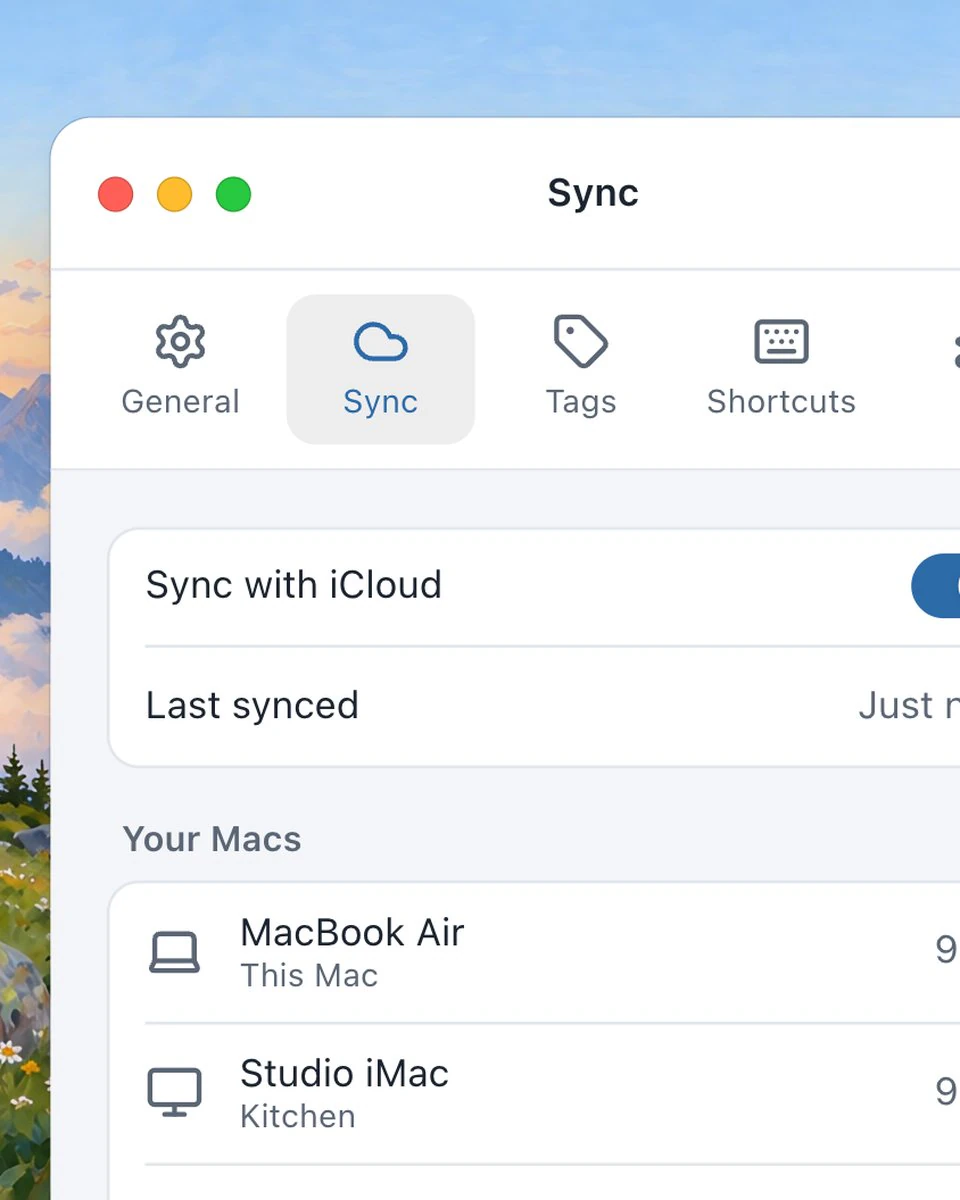
  1. 1Open Tarn's Settings and choose Sync.
  2. 2Turn on Sync with iCloud.
  3. 3Do the same on each of your other Macs.
  4. 4The Sync tab lists your Macs and when each one last synced.
Tarn's Sync settings with iCloud on and two Macs listed

Still stuck? Write to me.

I'm Léa, and I make Tarn on my own in Annecy. I read every email and reply within one working day. Tell me which guide you followed and what you saw.

Léa Morel writing at a desk by the lake
Léa Morel, who makes Tarn

Press Option Space and write it down.

Free for 14 days, then $29 once. macOS 14 or later. Apple silicon and Intel.

Works with the AI app you already pay for