Skip to content
All guides

AI

Connect your AI app

Over MCP, with no AI fee

Cost in Tarn
Free
  1. 1Open Tarn's Settings and choose AI.
  2. 2Turn on the connection for the AI app you use, such as Claude or Gemini.
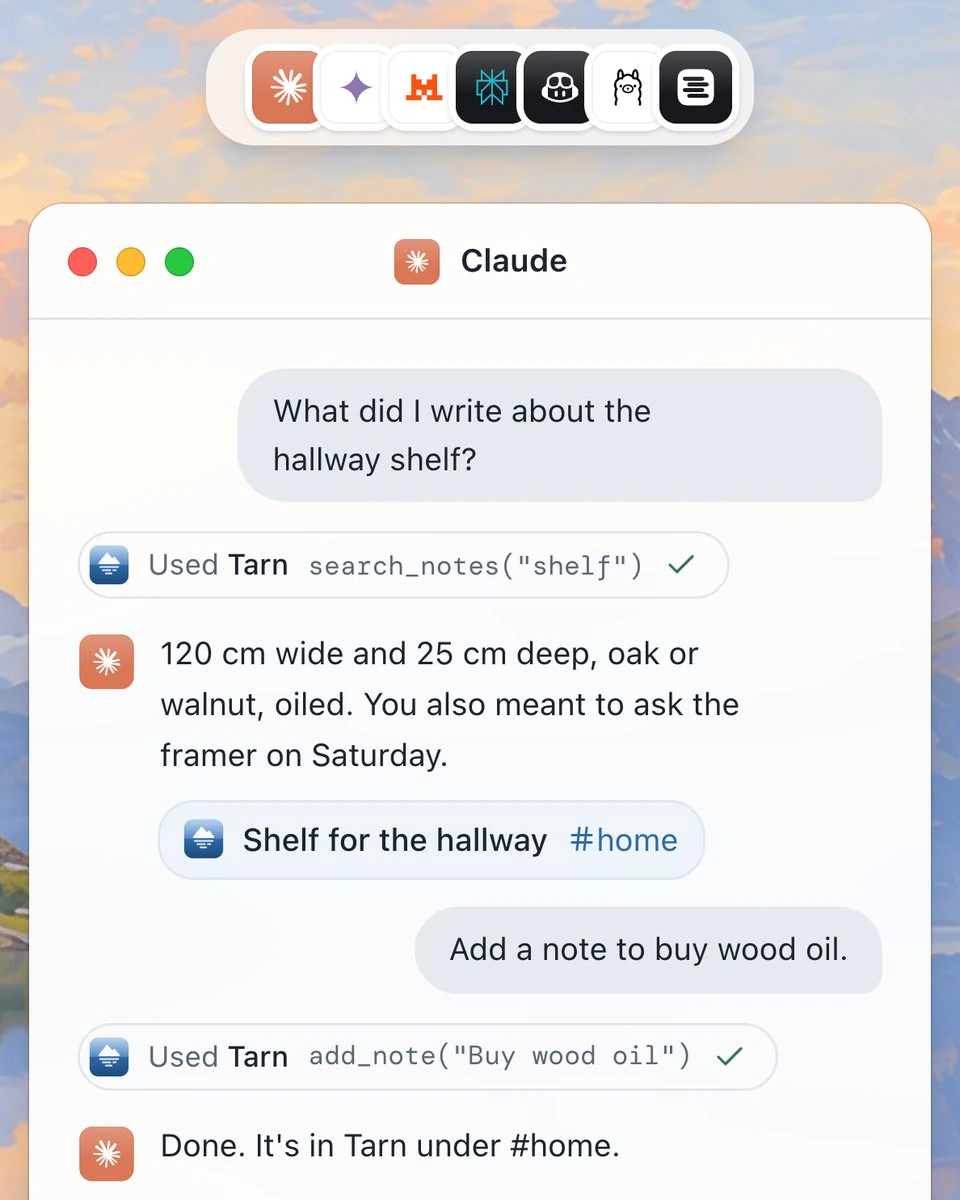
  3. 3Ask your AI app about your notes. It can search them, read one and add a new one.
  4. 4It sees only the notes it asks for. Turn the connection off in the same place at any time.
Claude searching Tarn notes and adding a new one

Still stuck? Write to me.

I'm Léa, and I make Tarn on my own in Annecy. I read every email and reply within one working day. Tell me which guide you followed and what you saw.

Léa Morel writing at a desk by the lake
Léa Morel, who makes Tarn

Press Option Space and write it down.

Free for 14 days, then $29 once. macOS 14 or later. Apple silicon and Intel.

Works with the AI app you already pay for