

What's new in Tarn.
Every update since 1.0, newest first. If you own Tarn, every 2.x update is free.
Latest2.4Oct 21, 2026
2.4
- Released
- Oct 21, 2026
- Changes
- 4
Your AI app can use your notes
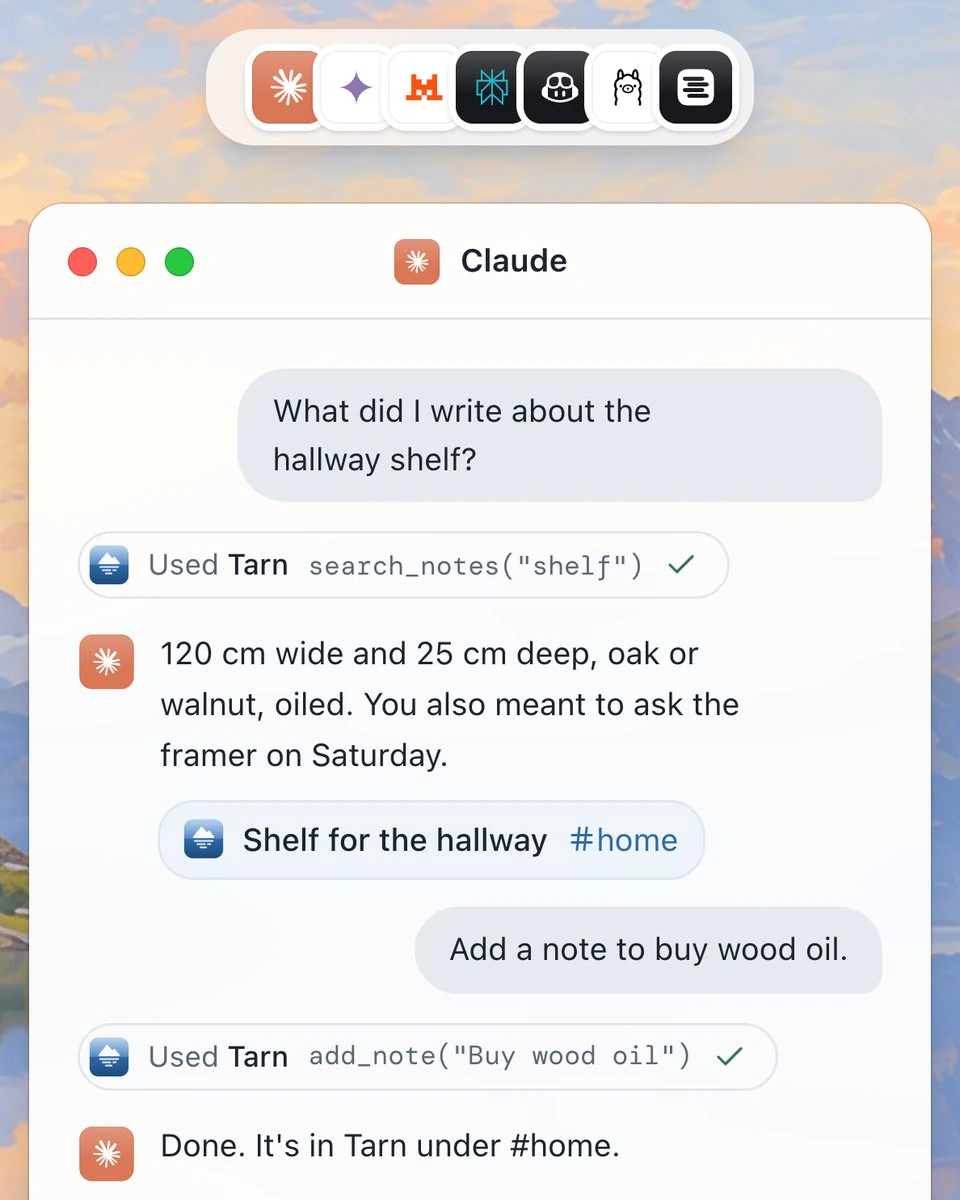
Tarn now connects to the AI app you already pay for over MCP. It can search your notes, read one and add a new one.
- NewConnect Claude, Gemini, Mistral and other AI apps. They can search, read and add notes.
- NewUse a local model through Ollama or LM Studio and no note leaves your Mac.
- ImprovedQuick capture keeps the last tag you used.
- FixedWith two displays, the panel now opens on the screen you are using.
 2.42026
2.3
- Released
- Aug 12, 2026
- Changes
- 3
Tags as you type
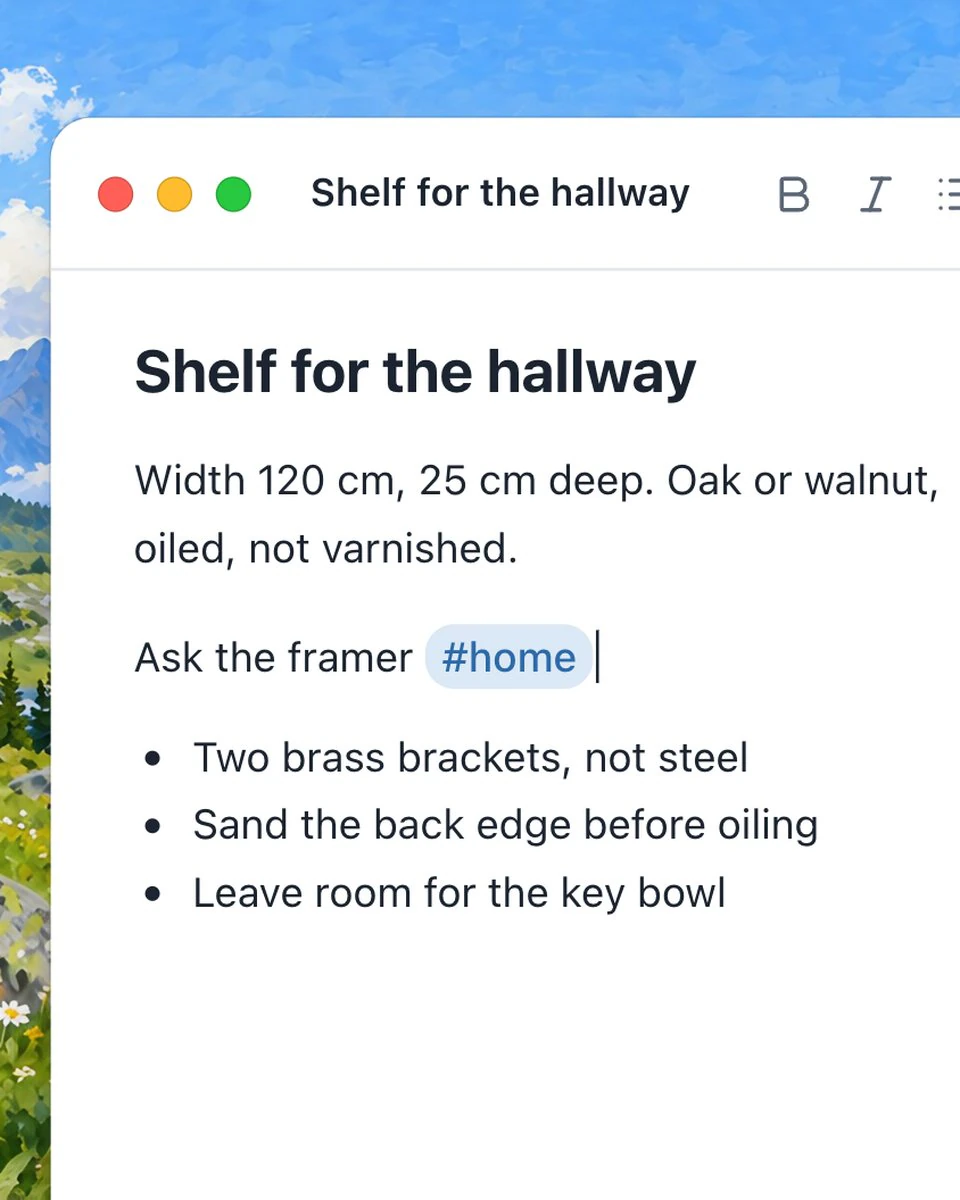
Type # anywhere in a note to see your tags, then press Return to add one.
- NewTag suggestions open as soon as you type #.
- ImprovedEach tag in the sidebar shows how many notes it holds.
- FixedRenaming a tag now updates every note that uses it.
 2.32026
2.2
- Released
- Jun 3, 2026
- Changes
- 3
Sync between your Macs
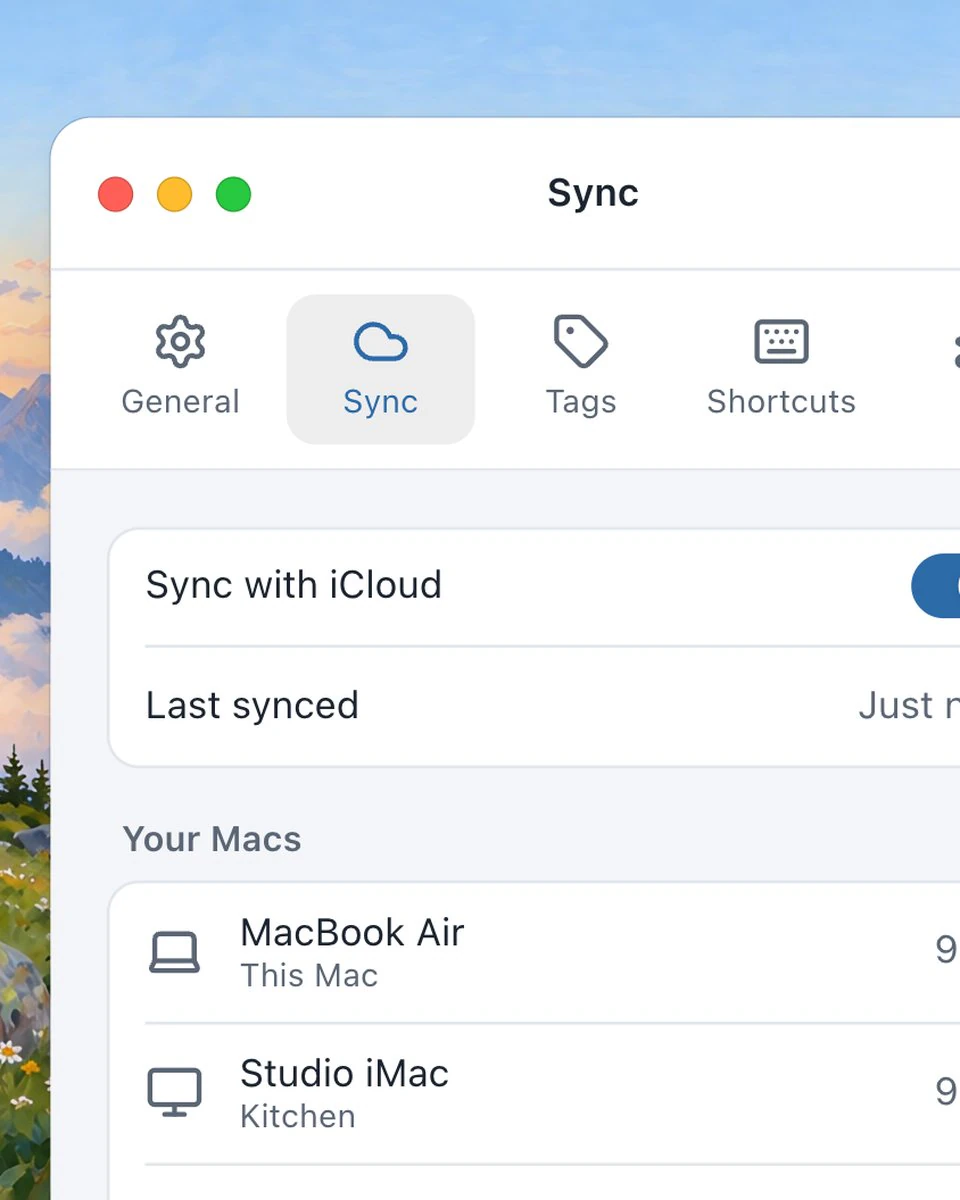
Optional iCloud sync keeps every Mac up to date. You still need no account.
- NewTurn on iCloud sync in Settings and your notes follow you to every Mac.
- NewThe Sync tab lists your Macs and when each one last synced.
- FixedNotes with an emoji in the title now save with the right file name.
 2.22026
2.1
- Released
- Apr 14, 2026
- Changes
- 3
Search as you type
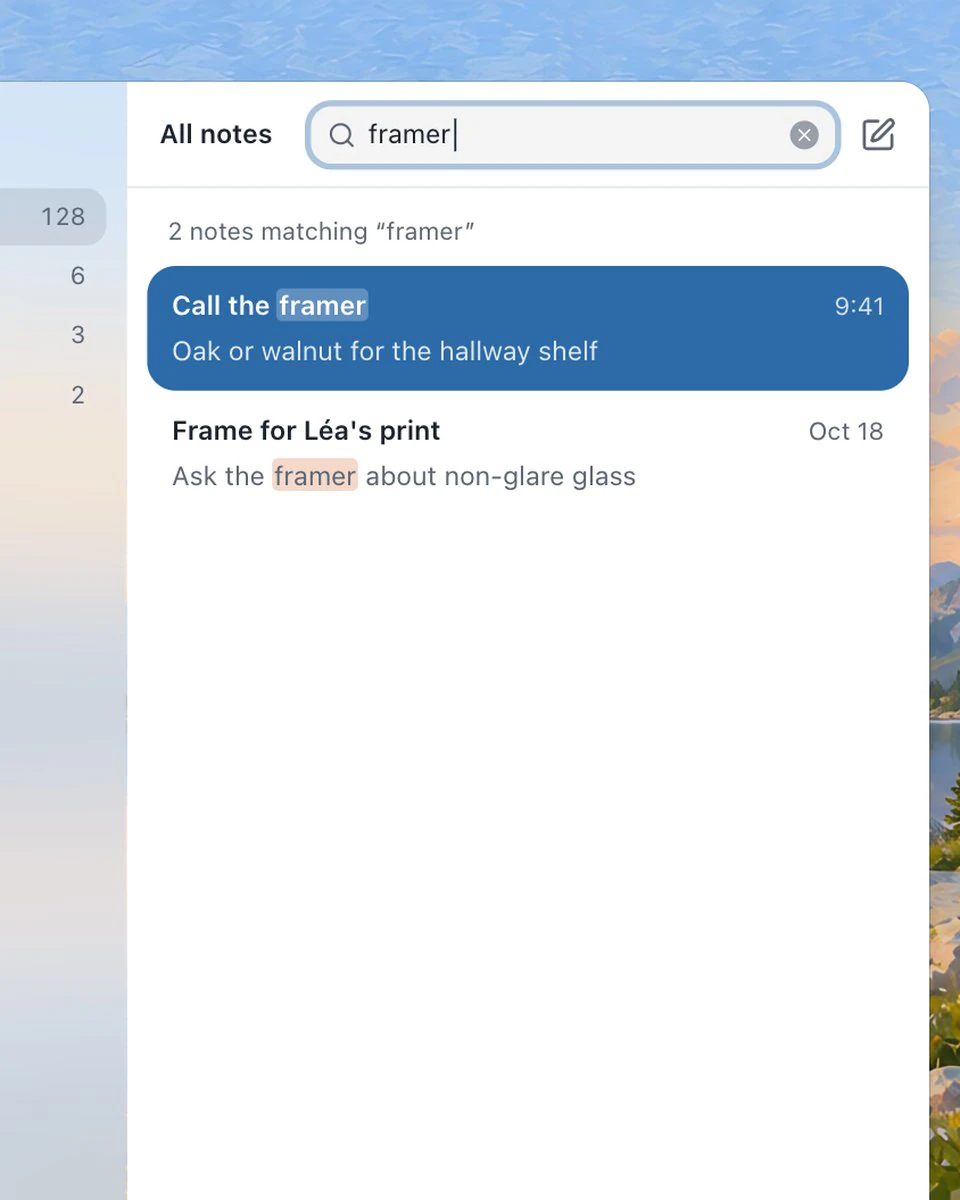
Results start on the first letter and cover titles, text and tags.
- NewSearch from the toolbar and the list narrows with every letter.
- ImprovedMatches are marked in the note, so you see why it came up.
- ImprovedSearch opens faster in folders with thousands of notes.
 2.12026
2.0
- Released
- Feb 2, 2026
- Changes
- 4
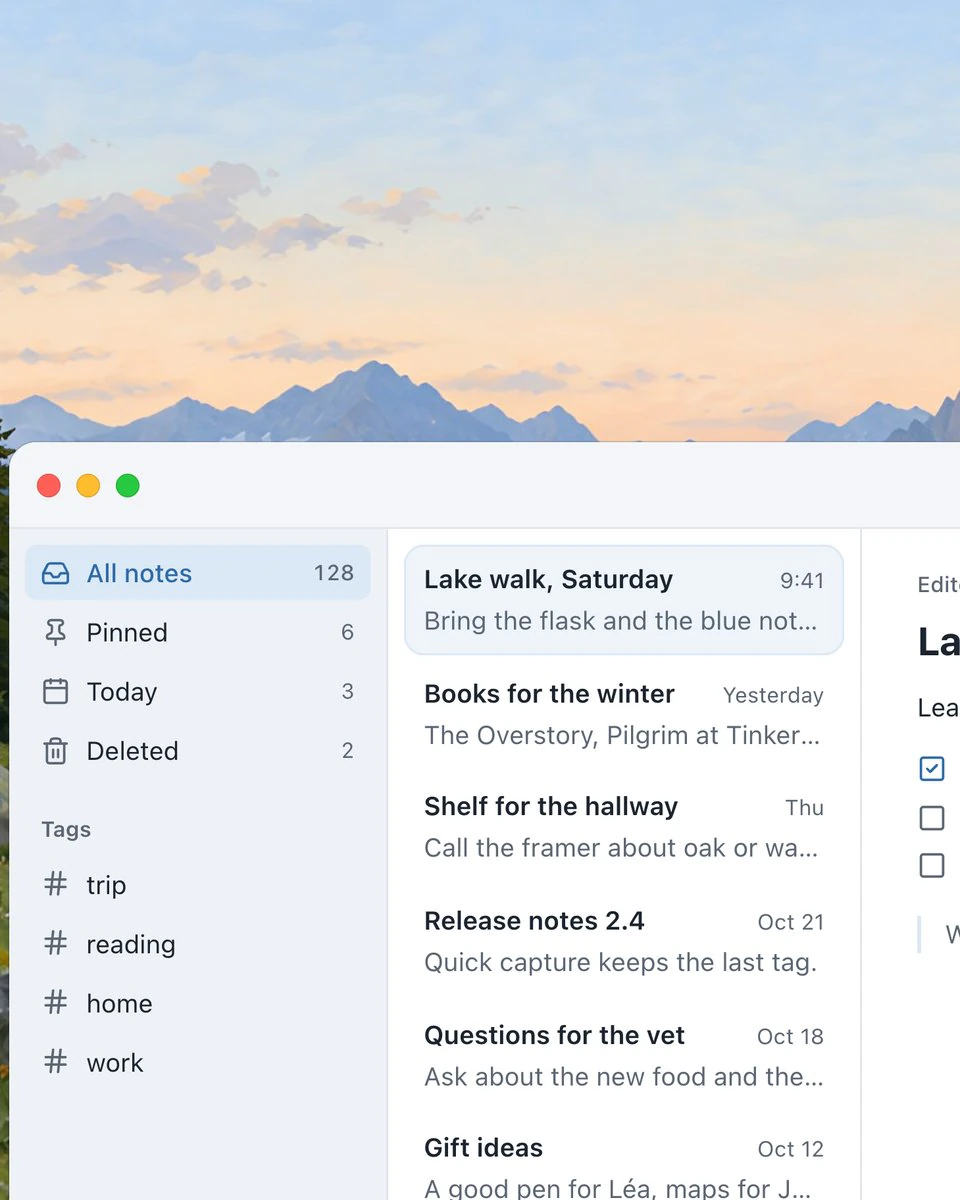
A new Tarn for macOS 14
A new window with the sidebar, the list and the note side by side, and a Family licence for $49 once.
- NewA new window: tags on the left, your notes in the middle, the note on the right.
- NewThe Family licence covers up to five people in one household for $49 once.
- ImprovedEvery 2.x update is included with your licence.
- FixedLong notes no longer jump when you scroll to the end.
 2.02026
1.6
- Released
- Oct 7, 2025
- Changes
- 2
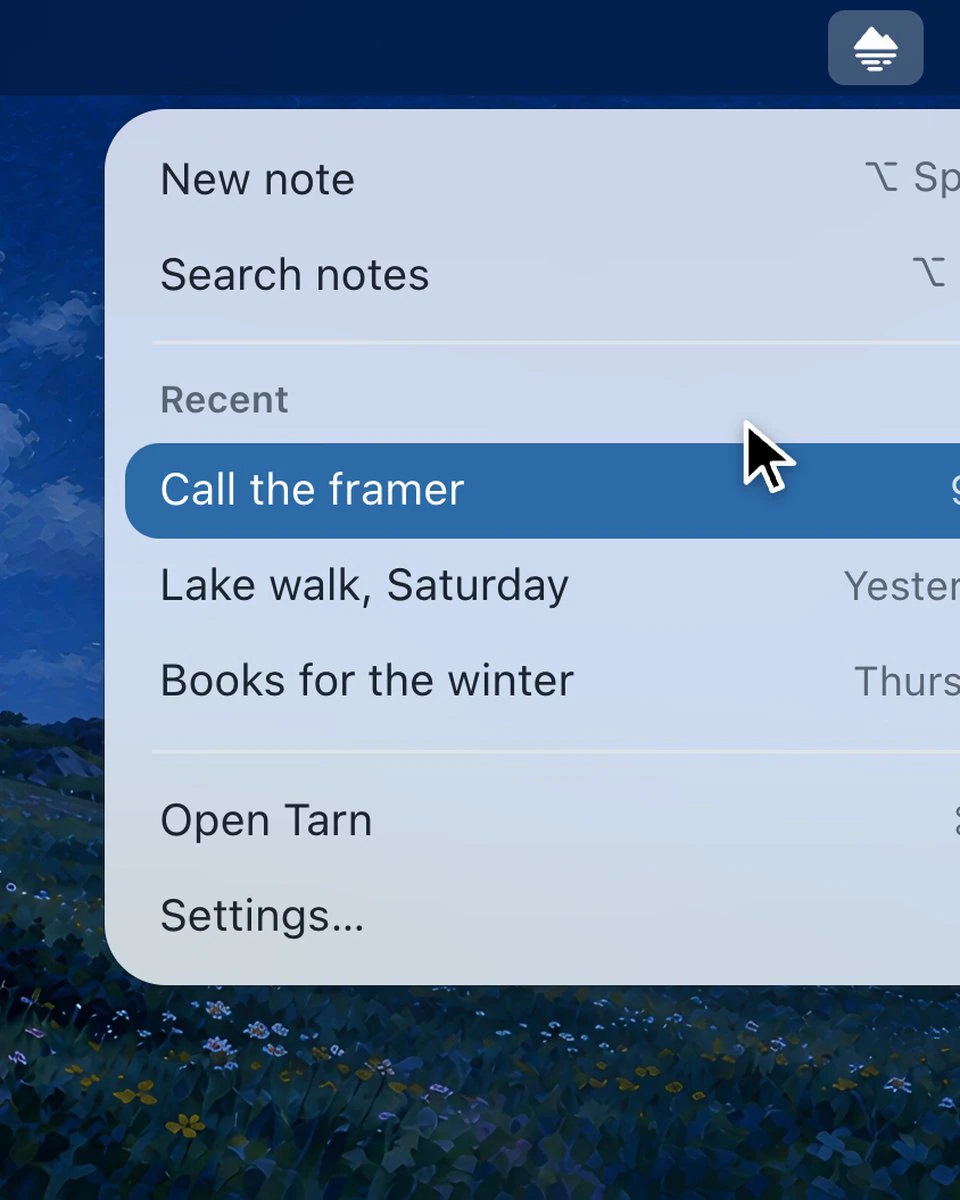
Lives in the menu bar
Your last notes are one click away in the menu bar, and so is a new one.
- NewA menu bar icon with your last five notes and New Note.
- ImprovedHide the Dock icon in Settings if you only use the menu bar.
 1.62025
1.4
- Released
- Mar 19, 2024
- Changes
- 3
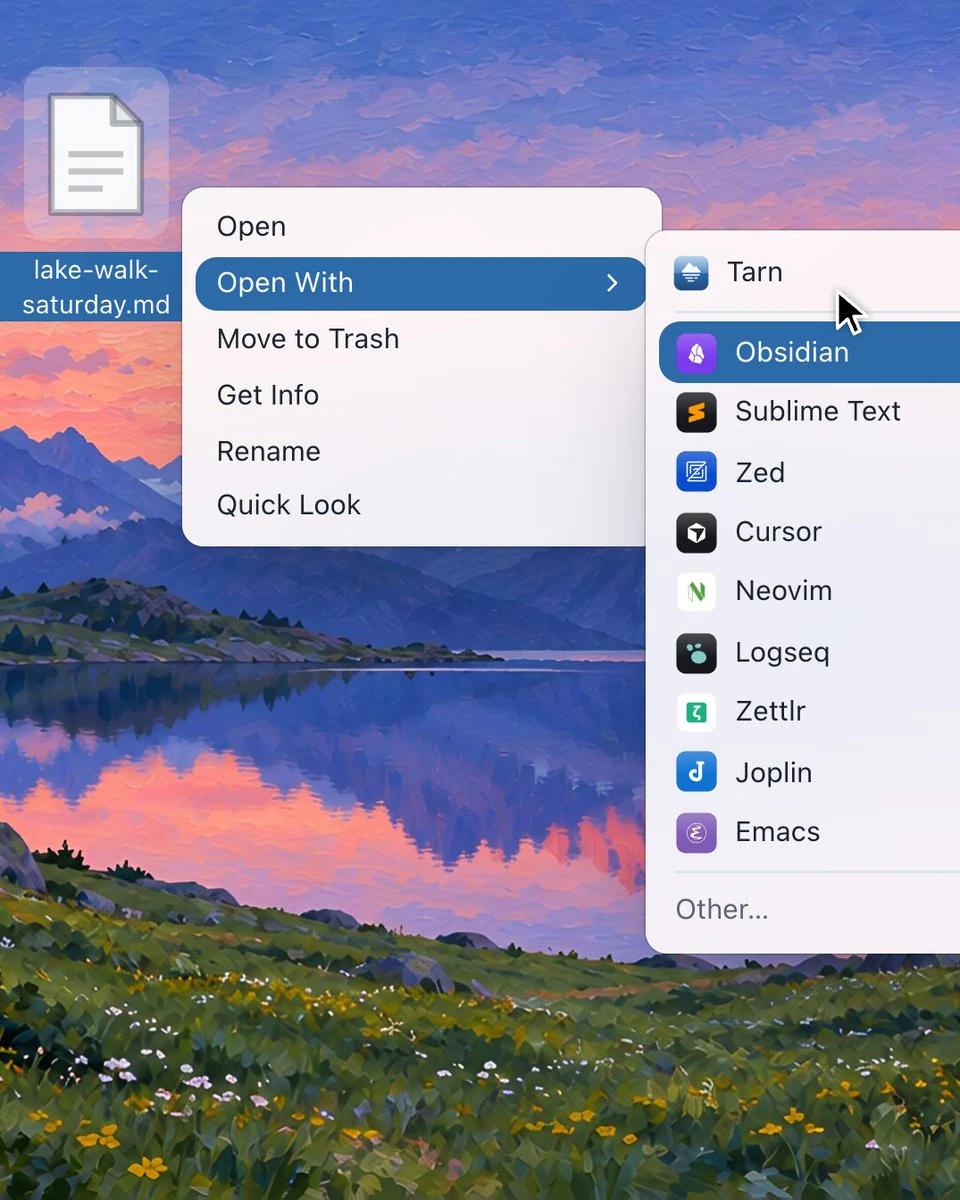
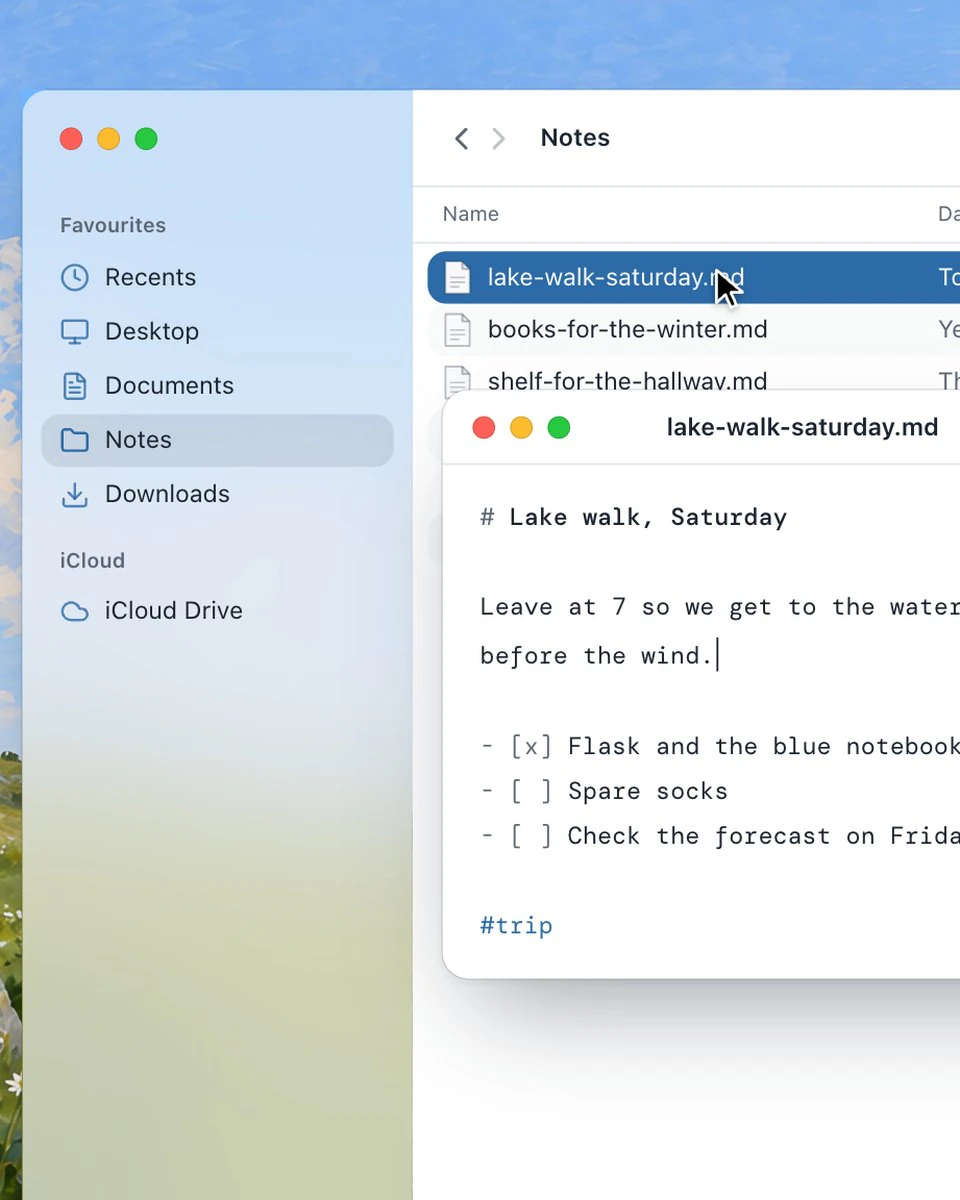
Open notes in any editor
Every note is a plain Markdown file, so any editor on your Mac can open it.
- NewOpen in lists the Markdown editors on your Mac.
- ImprovedTarn picks up changes made in other apps right away.
- FixedFiles saved by other editors keep their line breaks.
 1.42024
1.0
- Released
- Sep 27, 2022
- Changes
- 2
The first Tarn
Léa ships Tarn from Annecy: one shortcut to write a line down from any app.
- NewPress ⌥ Space in any app to open quick capture.
- NewEvery note is a Markdown file in a folder you pick.
 1.02022