Skip to content
All guides

Notes

Find a note

Search titles, text and tags

Shortcut
⌥ ⌘ F
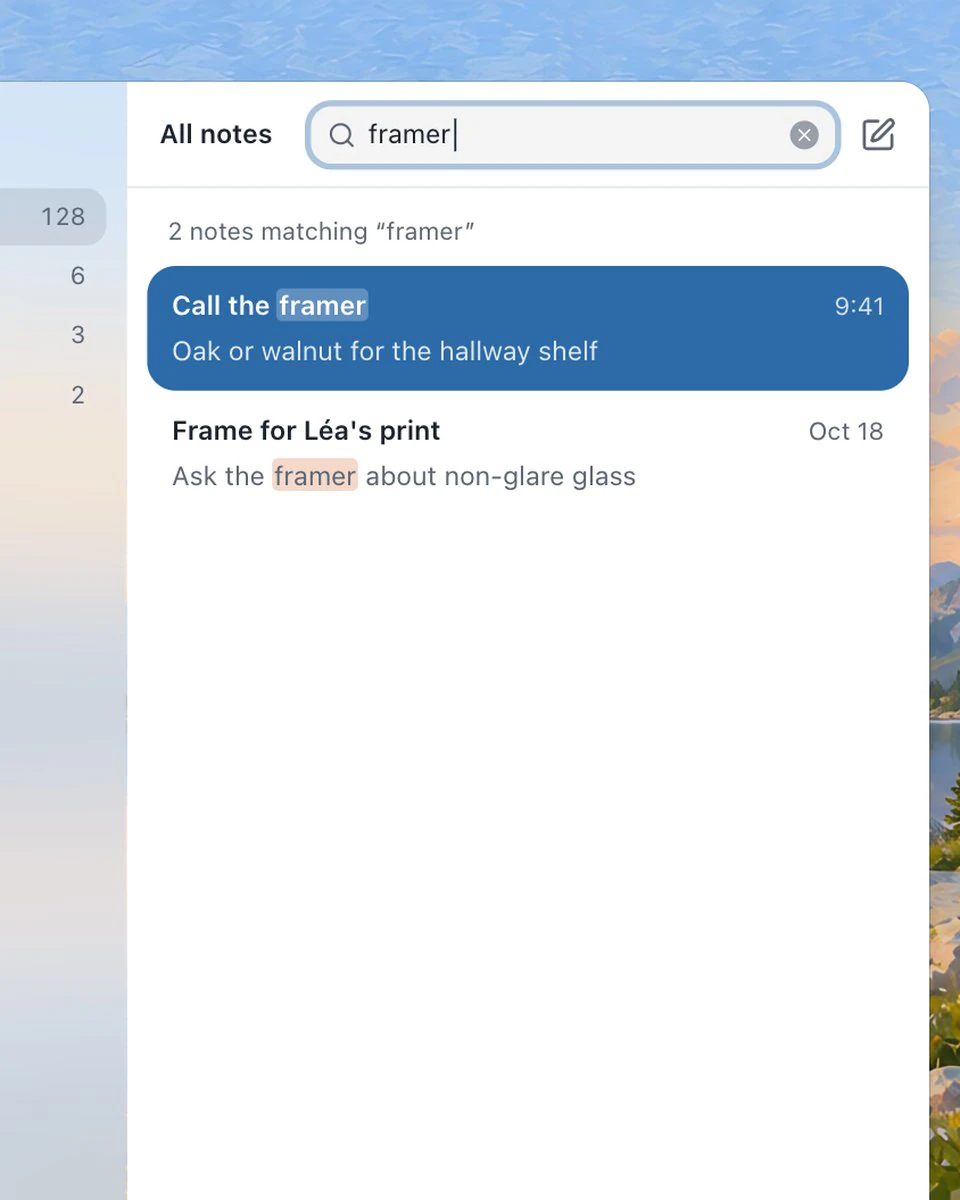
  1. 1Press ⌥ ⌘ F, or click the search field in Tarn's toolbar.
  2. 2Type a word. The list narrows with every letter.
  3. 3Open a note to see each match marked.
Tarn's search narrowing the list to notes matching framer

Still stuck? Write to me.

I'm Léa, and I make Tarn on my own in Annecy. I read every email and reply within one working day. Tell me which guide you followed and what you saw.

Léa Morel writing at a desk by the lake
Léa Morel, who makes Tarn

Press Option Space and write it down.

Free for 14 days, then $29 once. macOS 14 or later. Apple silicon and Intel.

Works with the AI app you already pay for